Why Does YouTube Keep Buffering in Chicago? (And How to Actually Fix It)
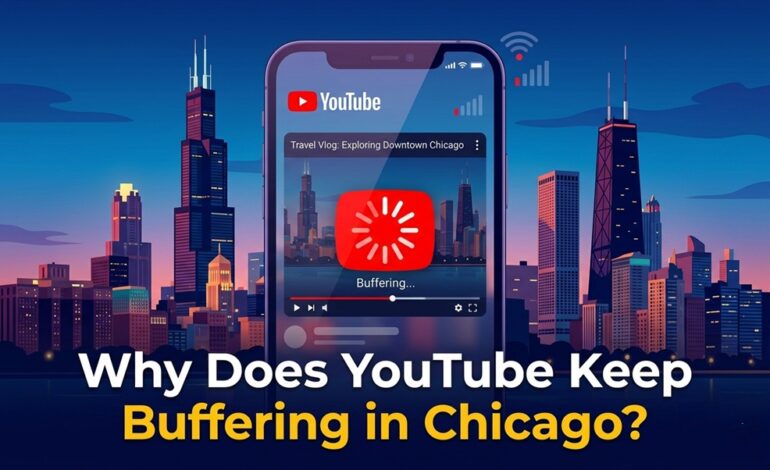

You hit play on a video, and three seconds later — the spinning wheel. Again. If you’re in Chicago and YouTube won’t stop buffering, you’re not alone, and it’s probably not your fault.
Chicago’s internet landscape is a mix of solid infrastructure and real congestion problems. Understanding why YouTube buffers here — specifically — helps you fix it faster than any generic tip you’ll find elsewhere.
The Real Reasons YouTube Buffers in Chicago
1. Network Congestion During Peak Hours
Chicago is a massive city. Between 7–10 PM, millions of households stream simultaneously, and even your 200 Mbps plan can feel sluggish. ISPs like Xfinity and AT&T route traffic through shared neighborhood nodes — and those nodes choke during primetime.
2. Your Router Is the Actual Problem
Older routers (pre-Wi-Fi 6) struggle with multiple devices. If your family has five phones, two laptops, and a smart TV all on the same 2.4 GHz band, YouTube is competing for bandwidth it’s never going to win.
3. YouTube’s Auto-Quality Is Lying to You
YouTube defaults to “Auto” quality, which sounds smart but often misbehaves. It sometimes tries to load 4K even when your connection can’t sustain it — then buffers while scaling down.
4. DNS Server Slowdowns
Your ISP’s default DNS server might be the bottleneck, not your actual speed. This is overlooked constantly.
How to Fix YouTube Buffering in Chicago
Step-by-step fixes, in order of impact:
- Switch to Ethernet — Plug your device directly into the router. Wi-Fi signals degrade through walls, and in dense Chicago apartments, interference is common.
- Change your DNS to Google (8.8.8.8) or Cloudflare (1.1.1.1) — Go to your router settings and switch the default DNS. Most people see a difference immediately.
- Force YouTube to 1080p or lower — Click the gear icon → Quality → select 1080p manually. Stop letting auto-quality guess wrong.
- Restart your router (properly) — Unplug it for 60 seconds, not 10. Let it fully clear its cache.
- Check if your ISP throttles streaming — Run a test on fast.com (Netflix’s tool) versus speedtest.net. If fast.com is dramatically slower, your ISP may be throttling video traffic.
- Update your router firmware — Log into your router’s admin panel and check for updates. Manufacturers push performance patches regularly.
Comparison: Common Fixes and Their Effectiveness
| Fix | Effort | Impact |
|---|---|---|
| Switch to Ethernet | Low | Very High |
| Change DNS | Low | High |
| Force video quality | Very Low | Medium-High |
| Router restart | Very Low | Medium |
| Upgrade router | Medium | Very High |
Pro Tips from Network Engineers
- Use a Wi-Fi analyzer app (like NetSpot on desktop) to find which Wi-Fi channel is least congested in your building. Chicago apartments often have 30+ networks competing.
- Enable QoS (Quality of Service) on your router and prioritize streaming devices. This tells your router which device gets bandwidth first.
- Consider a mesh network if you’re in a large apartment — single routers create dead zones that cause buffering in specific rooms.
Common Mistakes to Avoid
- Don’t blame YouTube immediately. Run a speed test first. If you’re getting under 5 Mbps, it’s your connection.
- Don’t upgrade your internet plan without diagnosing the router first. Many people pay $20/month more for no improvement because the router was always the issue.
- Don’t use a VPN for streaming unless necessary. VPNs add latency and often make buffering worse.
FAQs
Q: Does Chicago have bad internet infrastructure? A: Not inherently — Chicago has solid fiber availability. But ISP congestion during peak hours is a known issue.
Q: What internet speed do I need for smooth YouTube at 4K? A: YouTube recommends 20 Mbps for 4K. For 1080p, 5 Mbps is enough.
Q: Will upgrading my plan fix buffering? A: Only if speed is genuinely the issue. Check your actual speed first at fast.com.
Q: Is Xfinity or AT&T better for streaming in Chicago? A: AT&T Fiber consistently outperforms Xfinity in Chicago for streaming stability, though coverage varies by neighborhood.
Q: Does time of day matter? A: Yes — try streaming between 10 AM–5 PM. Evening hours (7–10 PM) are the worst for buffering citywide.
Conclusion
YouTube buffering in Chicago usually comes down to three things: network congestion, an outdated router, or a fixable DNS issue. Start with the free fixes — switch to Ethernet, change your DNS, and manually set your video quality. If those don’t solve it, your router may be the culprit. Upgrading to a Wi-Fi 6 router is the single most impactful hardware investment for streamers in dense urban areas like Chicago.