Why Is My Internet So Slow at Night in Houston? (Fixes That Work)
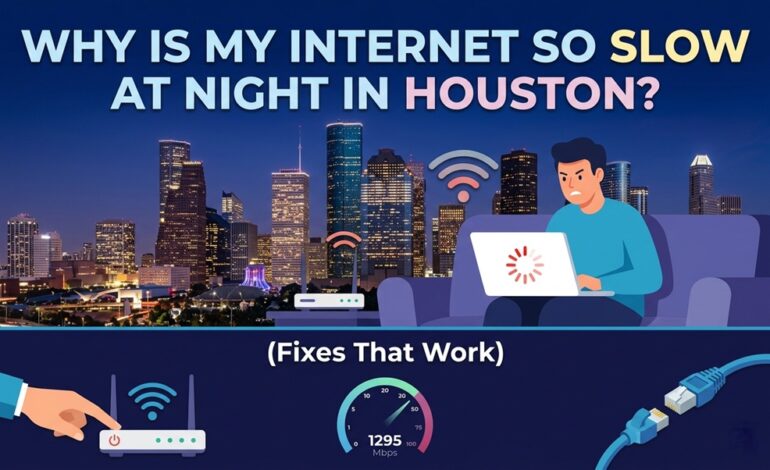

It happens every single evening — you sit down to stream, game, or video call, and your Houston internet feels like it’s running on molasses. You’re not imagining it. This is one of the most common complaints from residents across Houston’s sprawling metro area, and there’s a real reason behind it.
The short answer: peak-hour congestion. But the full picture is more nuanced — and the good news is, you have options.
Why Is Internet Slow at Night in Houston Specifically?
Houston is one of the fastest-growing cities in the U.S. That growth puts serious strain on shared internet infrastructure. Between 7 PM and 11 PM, millions of residents are simultaneously streaming Netflix, gaming on consoles, and joining Zoom calls. That’s called network congestion — and cable providers like Xfinity and Spectrum use shared bandwidth in residential neighborhoods.
Think of it like Highway 610 during rush hour. The road has a fixed capacity, but everyone’s using it at the same time.
Common Causes of Slow Evening Internet
- Network congestion on shared cable infrastructure
- Outdated or overheating modem/router
- Too many devices connected simultaneously
- ISP throttling based on data usage
- Weak Wi-Fi signal reaching your devices
How to Fix Slow Internet at Night in Houston
1. Restart Your Modem and Router
This sounds basic, but a full power cycle every few weeks clears cached data and refreshes your connection. Unplug both devices for 60 seconds — not just 10.
2. Switch to a Wired Connection
If you’re gaming or streaming 4K, plug directly into your router via ethernet. Wi-Fi loses performance over distance and through walls. One Houston gamer I spoke with cut their ping from 80ms to 12ms just by switching to a wired connection.
3. Upgrade Your Router
Many Houston residents are still using ISP-provided equipment from 5+ years ago. A modern Wi-Fi 6 router handles multiple devices far more efficiently, especially in densely packed neighborhoods.
4. Check for Background Devices and Apps
Smart TVs auto-update at night. Security cameras upload footage. Phones sync to the cloud. These background tasks steal bandwidth without you knowing.
5. Contact Your ISP About a Plan Upgrade
If you’re on a base-tier plan and sharing bandwidth with multiple people, you may simply need more speed. Comcast Xfinity, AT&T Fiber, and Spectrum all serve Houston — compare plans to see what’s available at your address.
| ISP | Technology | Best For | Congestion Risk |
| AT&T Fiber | Fiber-optic | Streaming, gaming | Low |
| Xfinity | Cable | General use | Medium-High |
| Spectrum | Cable | Casual browsing | Medium |
| T-Mobile Home | 5G Fixed | Flexible users | Variable |
Pro Tips from Internet Experts
- Run a speed test at speedtest.net both during the day and at 9 PM to measure the actual drop
- Enable QoS (Quality of Service) settings on your router to prioritize streaming or gaming
- If AT&T Fiber is available in your Houston ZIP code, it uses dedicated bandwidth and rarely congests
Common Mistakes to Avoid
- Restarting only the router but not the modem — both need a cycle
- Assuming it’s always a device problem when it’s the ISP infrastructure
- Not checking if your plan speed matches your household’s actual usage
FAQs
Why is my internet faster during the day than at night?
Fewer people are online during daytime hours. Cable internet shares bandwidth among neighbors, so evening congestion slows everyone down simultaneously.
Does AT&T Fiber help with nighttime slowdowns in Houston?
Yes. Fiber uses dedicated lines rather than shared infrastructure, which makes it far more resistant to peak-hour congestion.
Can my ISP throttle my internet at night?
Yes. Some ISPs throttle speeds after you hit a monthly data cap. Check your plan details and recent usage through your ISP’s account portal.
How do I check if the problem is my router or the ISP?
Connect a laptop directly to your modem via ethernet, bypassing your router entirely. If speeds are still slow, the issue is upstream with your ISP.
Conclusion
Slow nighttime internet in Houston is almost always a congestion problem — either at the ISP level or within your home network. Start with the basics: restart equipment, switch to wired connections, and audit your connected devices. If the problem persists, it’s time to consider switching to AT&T Fiber or upgrading your plan. Don’t just live with it — the fixes are usually simpler than people expect.